Get Started Fast
11 chapters and 7 appendices covering installation, core setup, operations, security, and clients so you can get OpenClaw running first
Open guide
Go from a five-minute setup to real-world scenarios in Lobster University, then all the way into source code, architecture, and customization.
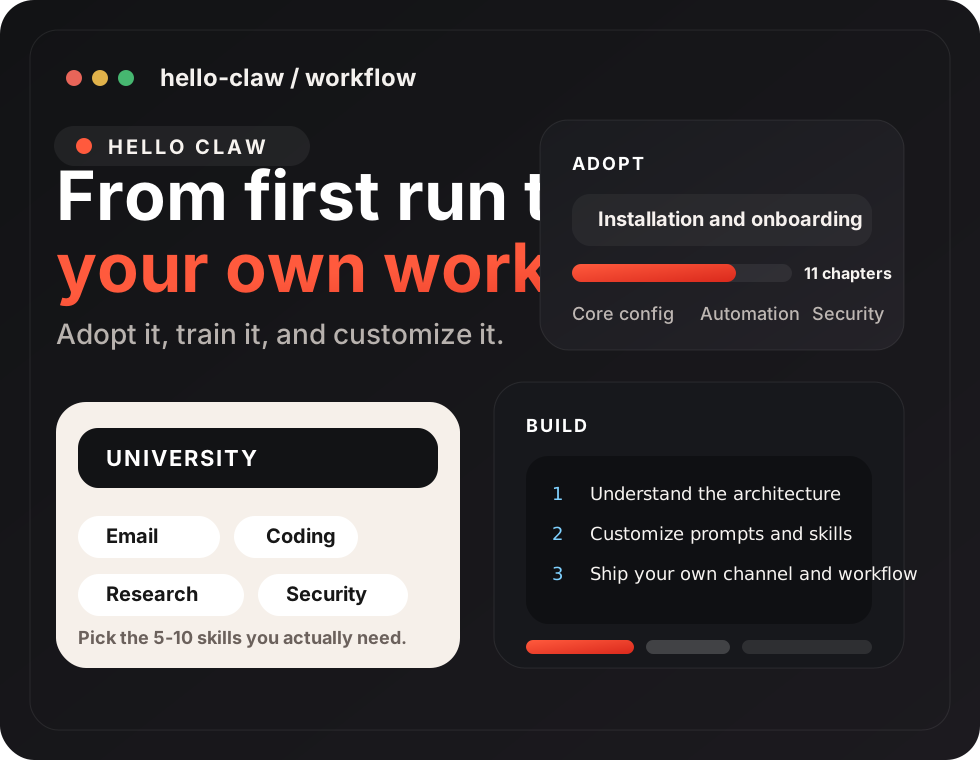
This project is a comprehensive learning tutorial for OpenClaw, helping you master this powerful command-line AI assistant system from scratch. Whether you want to quickly get started using OpenClaw to boost productivity, or deep dive into its internals and build your own version, this tutorial provides a clear learning path.
This project includes two core modules:
Who should learn this:
| Chapter | Description | Status |
|---|---|---|
| Introduction | What is OpenClaw, the four-step adoption method, learning roadmap | ✅ |
| 🔵 Installation | ||
| Chapter 1: AutoClaw Quick Install | Download AutoClaw desktop client, 5-minute zero-barrier experience | ✅ |
| Chapter 2: OpenClaw Manual Install | Terminal intro, Node.js installation, npm install, onboard wizard | ✅ |
| Chapter 3: Initial Configuration | CLI wizard, macOS guided setup, Custom Provider, reconfiguration | ✅ |
| 🟢 Core Configuration | ||
| Chapter 4: Chat Platform Integration | Supported platforms overview, complete Feishu integration example, pairing & group chats | ✅ |
| Chapter 5: Model Management | Model concepts, CLI management, multi-provider config, API Key rotation, failover | ✅ |
| Chapter 6: Agent Management | Multi-agent management, workspaces, heartbeat, binding rules | ✅ |
| 🟡 Operations & Extensions | ||
| Chapter 7: Tools & Scheduled Tasks | Tool levels, scheduled tasks (cron/at/every), web search | ✅ |
| Chapter 8: Gateway Operations | Startup management, hot reload, auth security, key management, sandbox policies, log monitoring | ✅ |
| Chapter 9: Remote Access & Networking | SSH tunnels, Tailscale networking, deployment architecture, security best practices | ✅ |
| 🔴 Security & Clients | ||
| Chapter 10: Security & Threat Models | Threat landscape, VM isolation, trust boundaries, MITRE ATLAS, supply chain security | ✅ |
| Chapter 11: Web UI & Clients | Dashboard, WebChat, Control UI, TUI, third-party clients | ✅ |
| Appendices | ||
| Appendix A: Learning Resources | 8 categories of learning resources, 80+ links, editor's picks | ✅ |
| Appendix B: Community Voice & Ecosystem | 6 major topics in-depth + best quotes | ✅ |
| Appendix C: Claw Alternatives Comparison | Desktop clients / managed services / cloud providers / self-hosted / mobile, 5 categories | ✅ |
| Appendix D: Skill Development Guide | SKILL.md format + skill-creator + ClawHub publishing workflow | ✅ |
| Appendix E: Model Provider Guide | Aggregation gateways / domestic / international / local, 4 categories | ✅ |
| Appendix F: Command Cheat Sheet | All CLI command reference for installation, config, logs, cron, channels, etc. | ✅ |
| Appendix G: Config File Reference | openclaw.json parameter-by-parameter walkthrough | ✅ |
| Chapter | Description | Status |
|---|---|---|
| Introduction | Why build your Claw from scratch, OpenClaw's complexity challenges & learning roadmap | ✅ |
| 🔵 Tier 1: OpenClaw Internals (Chapters 1-7) | ||
| Chapter 1: Core Design Philosophy | Agent Runtime vs Chatbot differences, four primitive tools design philosophy | ✅ |
| Chapter 2: Architecture Overview | Gateway, Bus, Agent, Provider — four core modules & message flow | ✅ |
| Chapter 3: Prompt System | 7 Markdown files prompt architecture, hot reload mechanism, Token optimization | ✅ |
| Chapter 4: Tool System | Four primitive tools deep dive, tool registration, tool descriptions' impact on LLM accuracy, Skill hierarchy | ✅ |
| Chapter 5: Message Loop & Event-Driven | ReAct loop execution flow, LLM tool selection, heartbeat & automation | ✅ |
| Chapter 6: Unified Gateway | Gateway architecture, multi-channel integration & message standardization | ✅ |
| Chapter 7: Security Sandbox | Freedom vs constraints, execution environment isolation & permission control | ✅ |
| 🟢 Tier 2: Custom Solutions (Chapters 8-10) | ||
| Chapter 8: Lightweight Solutions | NanoClaw, Nanobot, ZeroClaw and other community variants | ✅ |
| Chapter 9: Security Hardening | IronClaw security architecture, sandbox isolation & audit logs | ✅ |
| Chapter 10: Hardware Solutions | PicoClaw hardware selection, low-power embedded deployment | ✅ |
| 🟡 Tier 3: Customize Your Claw (Chapters 11-15) | ||
| Chapter 13: Skill Development | Skill file structure, Frontmatter format, async handling & debugging | ✅ |
| 🌅 Personal Productivity • Morning briefing (weather + calendar + to-dos) • Email auto-classification & summary • Smart scheduling | 💻 Development • Code generation & review • Automated testing & deployment • Documentation generation | 📢 Content Creation • Social media automation • Writing assistance & polishing • Multi-platform publishing |
| 🏢 Business & Sales • Customer support & CRM • Sales lead auto-follow-up • Meeting scheduling & notes | 🤖 Multi-Agent Collaboration • Agent team project management • Automated workflow orchestration • Knowledge base sharing & retrieval | 🔧 More Scenarios • Smart home control • Financial data analysis • Education & training |
WARNING
🧪 Beta version: Main content completed, optimizing details. Welcome to submit Issues for feedback or suggestions.